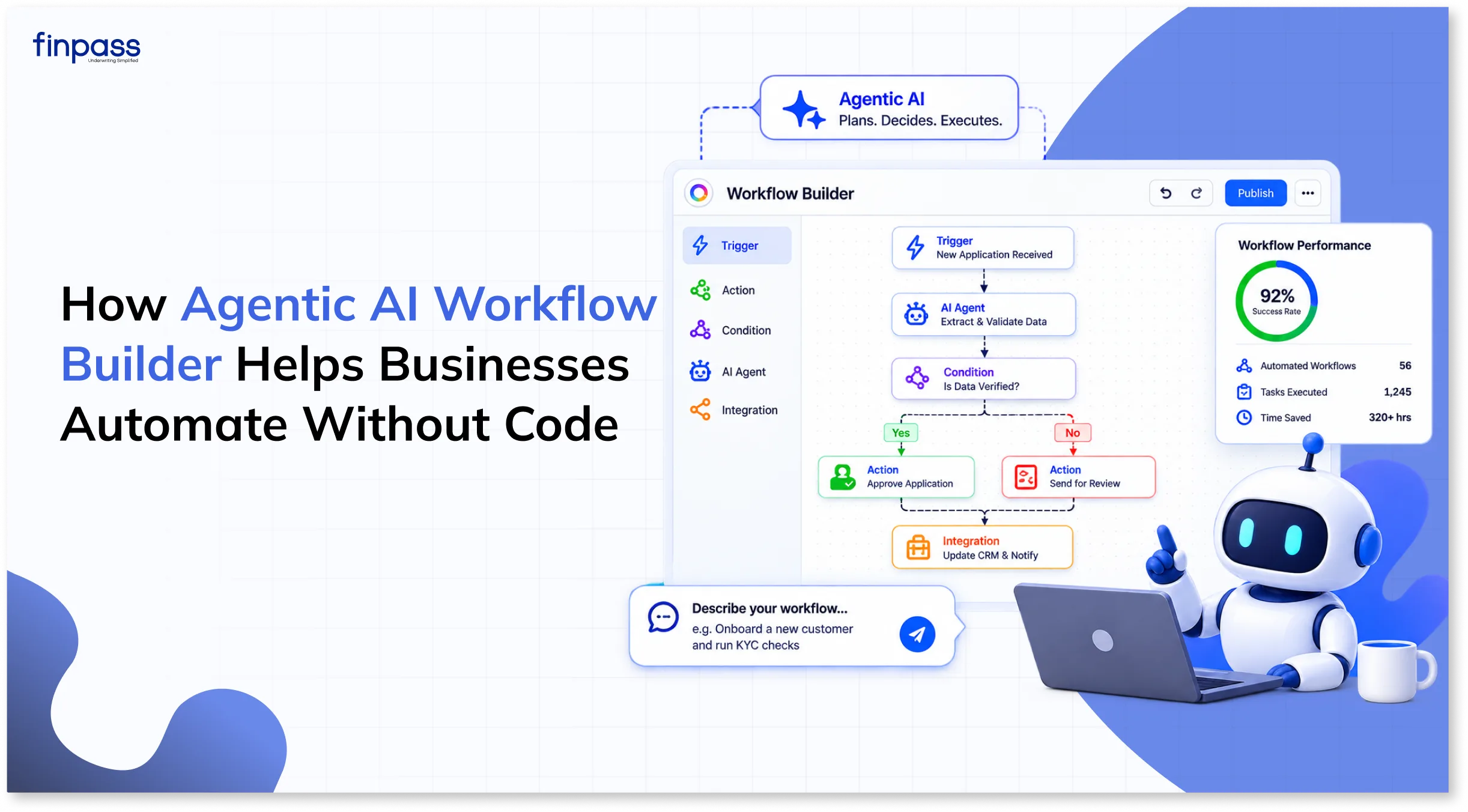
Almost all businesses face manual operational challenges like delays, human errors, and juggling multiple tasks. Teams spend a lot of time doing the same tasks over and over. Agentic Workflow automation helps businesses eliminate such costs and streamline operations. It connects systems and automates operations. In this blog, we will discuss the Agentic Workflow Builder.
What is an Agentic Workflow Builder?
An Agentic Workflow Builder is a tool that helps you build an automated process in which AI agents or systems understand the requirement, make a plan, use the tools, and make decisions to complete tasks on their own. These tools are designed to complete the multi-task process by themselves or with little human input.
For example, for conducting KYC, banks need to verify Aadhaar, then PAN, address proof, and other documents. Verifying each document separately consumes too much time and resources. Here, a workflow builder helps banks build the verification journey by connecting Aadhaar, PAN, and other verification tools in a single workflow. Banks just need to share the link with the individual for verification; the rest of the agentic workflow will handle verification, tracking, and routing eligible customers.
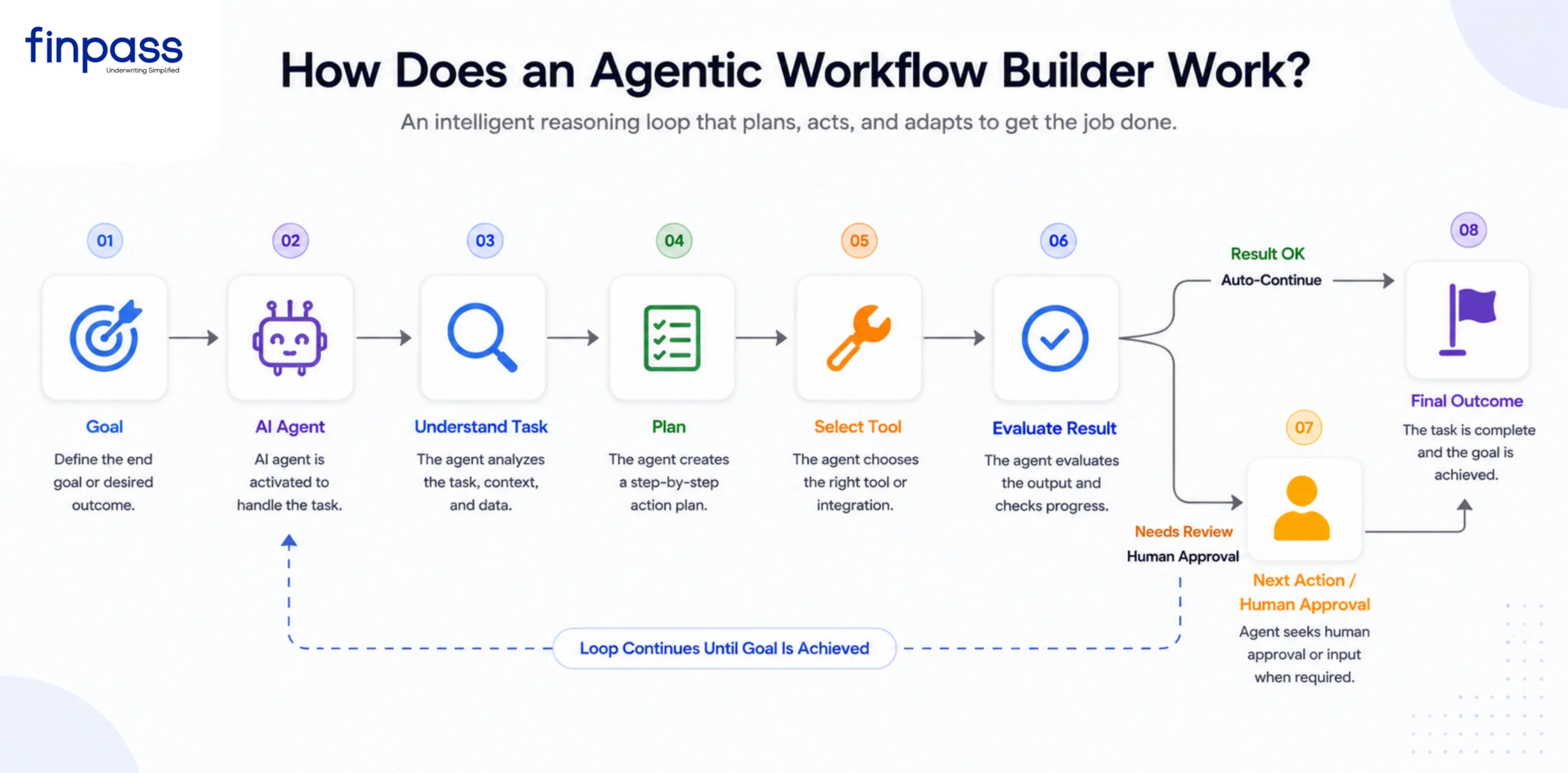
How does an Agentic Workflow Builder Work?
It understands the goal, uses tools, and completes tasks:
- Goal: Give instructions to the AI and the outcome you want.
- AI Agent: The AI agent receives the goal and initiates the workflow.
- Understand Task: It analyzes the request, context, and available information.
- Plan: Determines the best steps to achieve the goal.
- Select Tool: Chooses the right tool, API, or data source.
- Evaluate Result: Reviews the output to determine if the goal is being met.
- Next Action/Human Approval: Takes the next step or requests human input when needed.
- Final Outcome: Completes the task and delivers the desired result.
Key Features of Agentic Workflow Builder
An agentic workflow builder allows non-technical teams to create autonomous:
Command-Based Workflow Creation
Users just need a description to create a workflow. The system understands the instructions and automatically generates steps, agents, and logic. This approach reduces the need for manual workflow configuration or programming.
Natural Language Agent Configuration
Agents use instructions to define roles, objectives, responsibilities, and operating guidelines. Users can modify these instructions without directly editing technical configuration files or code.
Conversational Editing and Iteration
Users can modify existing workflows through additional natural language instructions. For example, they can request that a step be added, a condition be changed, or a particular tool be replaced.
Prebuilt Connectors and Integrations
Workflow builders can provide connectors for external applications, databases, APIs, and business tools. These integrations allow agents to fetch information from external systems and perform actions.
Memory and Knowledge Bases (RAG)
Agents can be connected to organizational documents, knowledge bases, FAQs, and other informational sources. Retrieval-Augmented Generation (RAG) allows agents to fetch relevant information while performing a task.
Multi-Agent Orchestration
A workflow may include multiple specialized agents to perform different tasks in an orchestration layer. For example, one agent may conduct research, another may perform an analysis, and another may review the results.
Human in the Loop Controls
Workflow can include points at which human review or approval is required. It is helpful for tasks that involve sensitive information, financial decisions, rules, or actions that need human approval.
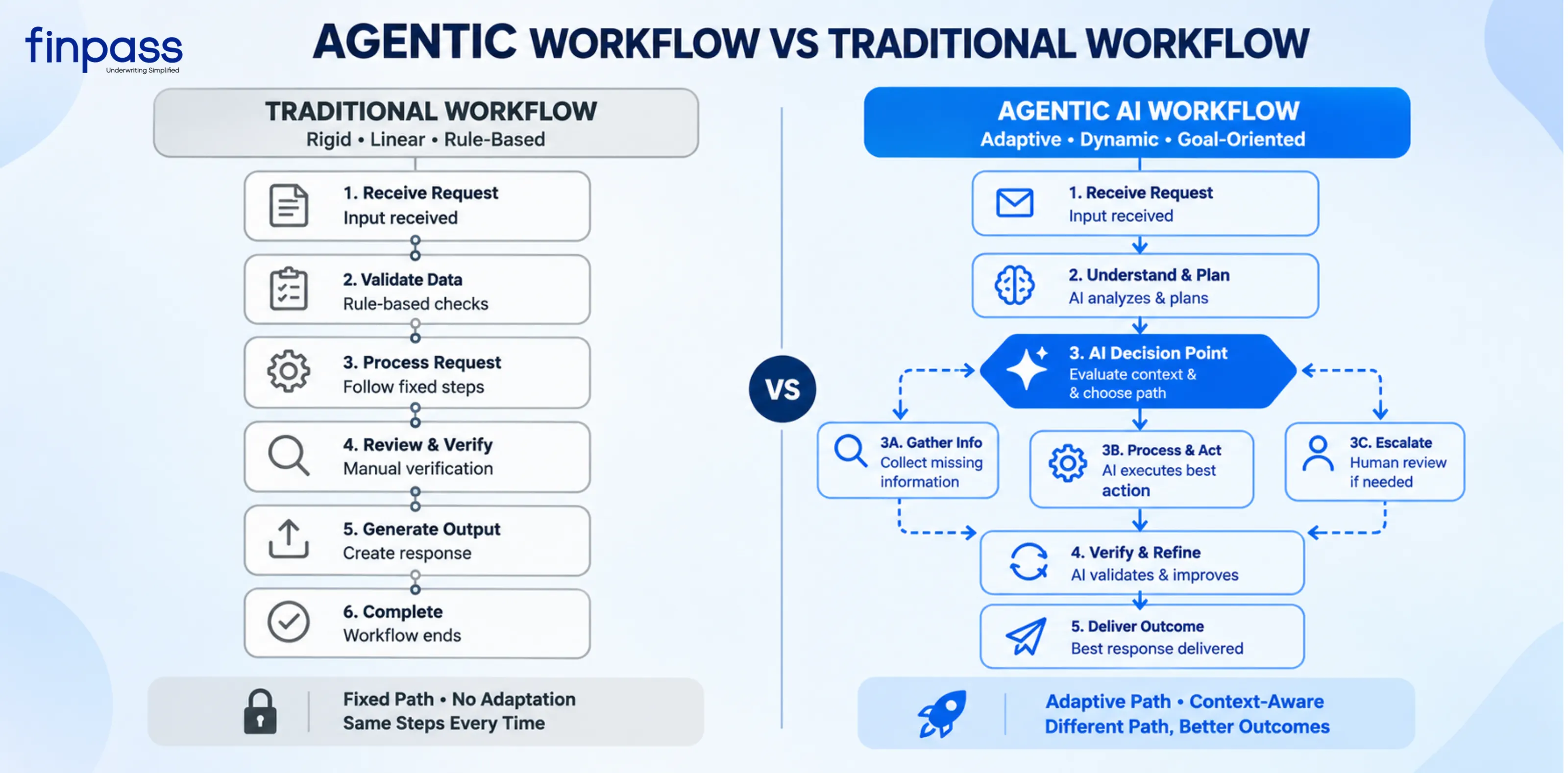
Agentic Workflow vs Traditional Workflow
Aspect | Traditional Workflow | Agentic AI Workflow |
Logic | Fixed Rules | AI-Driven Decisions |
Flow | Predefined | Dynamic/Adaptive |
Inputs | Usually Structured | Can handle unstructured inputs |
Tools | Specific actions are predetermined | Agent can choose among available tools |
Exceptions | Requires predefined exception paths | Can reason about many unexpected cases |
Goal | Complete a sequence | Achieve an objective |
Flexibility | Lower | Higher |
Predictability | High | Lower |
Control | Strong | Requires guardrails |
Best for | Repetitive, predictable processes | Complex, variable tasks |
Use of Workflow Builder
It can be used for various purposes:
- Customer Support: An agentic workflow builder helps teams create an automated customer support process. It can understand customer requests, find the right information, and send each request to the right person or next step.
- Sales Teams: Sales teams can use this workflow builder to automate workflows around lead qualification, research, and CRM updates. A workflow can collect information about a new lead, analyze the available data, enrich the CRM record, understand the next step, and trigger follow-up action without any manual coordination.
- Finance: In finance, Agentic Workflow Builder can be used to structure workflows for invoices, financial documents, and approval processes. A workflow can extract information from documents and cross-verify against the requirements. It should also be able to route things that need review to the appropriate person before an action is completed.
- HR: It is beneficial for the HR and recruitment team to make the candidate screening and verification process easy. It can automatically collect information, analyze documents, conduct verification, and route qualified candidates.
What to look for in an Agentic Workflow Builder?
You need to look for many features before choosing:
- Visual Workflow Builder: A visual canvas should make it easy to create and modify workflows without writing orchestration code for each step. Look for support for workflow nodes, connections, conditions, branches, and reusable components.
- Flexible Agent Configuration: The builder should allow you to configure agents based on the task. Important capabilities include defining instructions, selecting models, providing context, setting output requirements, and controlling which tools an agent can access.
- Integrations and tool connectivity: An agentic workflow is useful only when it can work with the systems your business already uses. Check whether the builder supports APIs, databases, SaaS applications, webhooks, internal systems, and other business tools.
- Testing and Debugging: Before deploying a workflow, test it with different inputs and identify where something went wrong. Execution history, step-level results, error information, and debugging tools are important.
Common Challenges and Limitations
Even though workflow builder is autonomous and performs various tasks, it has several limitations:
- Workflow Complexity: As workflows grow, multiple agents, conditions, and integrations can become difficult to manage and maintain.
- Limited Customization: Pre-built workflows may not cover every business-specific requirement, especially for complex processes.
- Security and Permissions: Giving agents access to the business system requires proper permissions, approvals, and controls to prevent unauthorized actions.
- Testing and Reliability: You should conduct testing across real business scenarios, including failures and exceptions, before being used in production.
- Cost Effectiveness: Frequent model calls, tool usage, and workflow executions increase operational costs.
FinPulse - An Agentic AI Workflow Builder
FinPulse is an Agentic AI Workflow Builder designed to streamline business processes by eliminating repetitive tasks and human errors. You just need to write the prompt or choose the prebuilt template that suits your business workflow. Get full tracking and reports with human-in-the-loop review.
Conclusion
A Workflow builder is not optional for businesses if you want faster processing. It helps them eliminate manual tasks with minimal requirement of human involvement or review. It is able to plan, execute, and make decisions on its own. The main advantages a business gets from a workflow builder are cost-effectiveness, fewer errors, and customization. Because businesses can build processes according to their use cases.
FAQs
Ques: Can an Agentic Workflow builder handle tasks that change from case to case?
Ans: Yes, agentic workflow builders are adaptive and handle tasks that change according to the case.
Ques: Can an Agentic Workflow builder replace the entire manual business process?
Ans: It automates the significant parts of a process, but complete automation is not always appropriate.
Ques: What happens when an AI agent cannot complete a workflow?
Ans: These workflows can be designed to retry a failed step, fall back to an alternate path, or route the task to a human for review
Ques: Can you build a workflow without coding?
Ans: Yes, many providers have no-code workflow builders so users can just create or give a prompt for creation.
Ques: Can an Agentic workflow builder connect external APIs?
Ans: Yes, APIs can be connected so agents and workflow steps can receive information from external systems.